K9 Resorts Account Creation & Ordering
New Store Directions
Step #1 : Click or Paste link below into browser to sign up https://pettherapeutics.net/k9-user-registration/
Step #2 : Fill in: Name and Email address
Enter in : Username & Password – this will create your Username & Password
Tap SUBMIT to create account.
Step #3: Check your email, Tap link to confirm & ACTIVATE account (Please check your Spam folder for link if you do not see it in your inbox)
The link creates your account.
To finish the log in process you will get a second email with a link to your login.
Step #4: Check your email for the second email, click on login link to finalize the account activation process.
Step #5: You will see a notification that your account is now active. Click on ok
Step #6: Click on K9 Shop at the top of your screen.
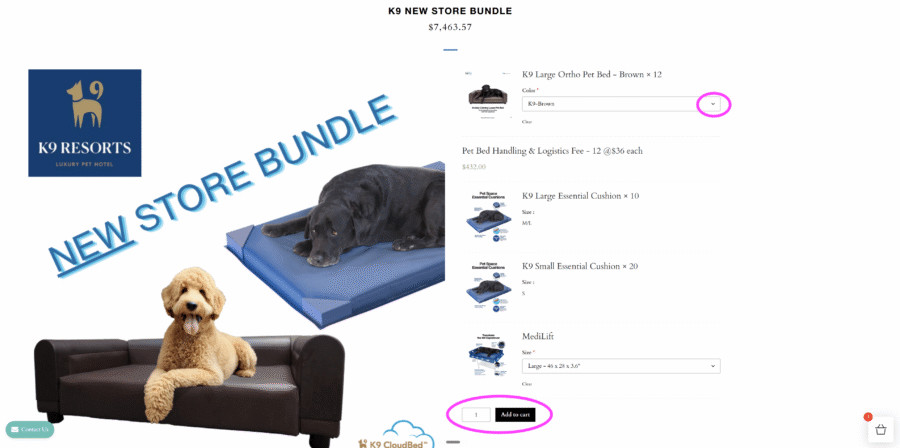
Step #7: Click on Select options for the NEW STORE BUNDLE
Step #8: Choose your options from the drop down menu and then choose your quantity and then add it to your cart.
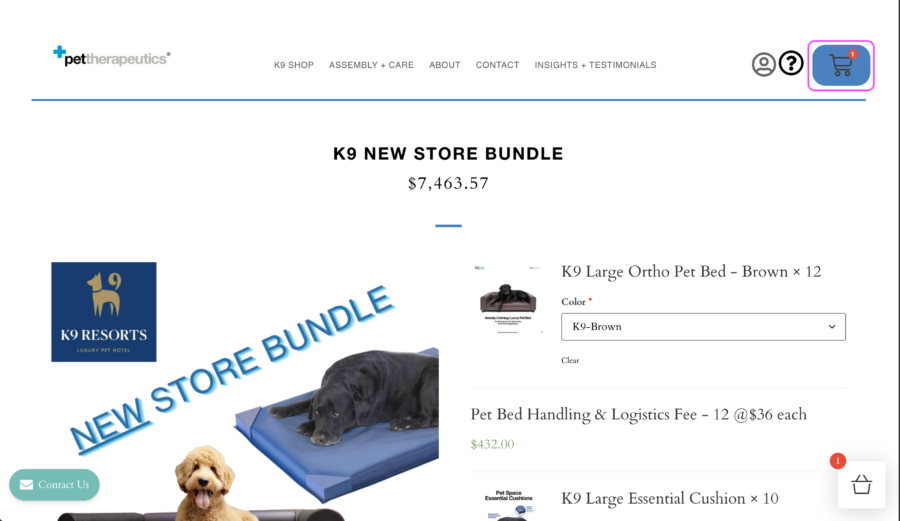
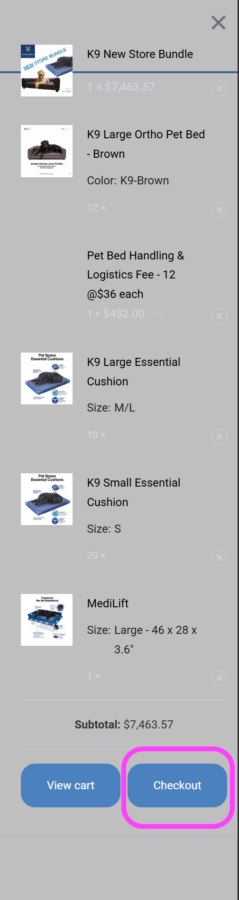
Step #9: Click on your shopping cart to review and check out.
(The quantities for the number of each product is set per the quantity of the bundle. ie 20 lg cusions and 20 sm cusions per 1 bundle)
Step #10: Click on Checkout review your order
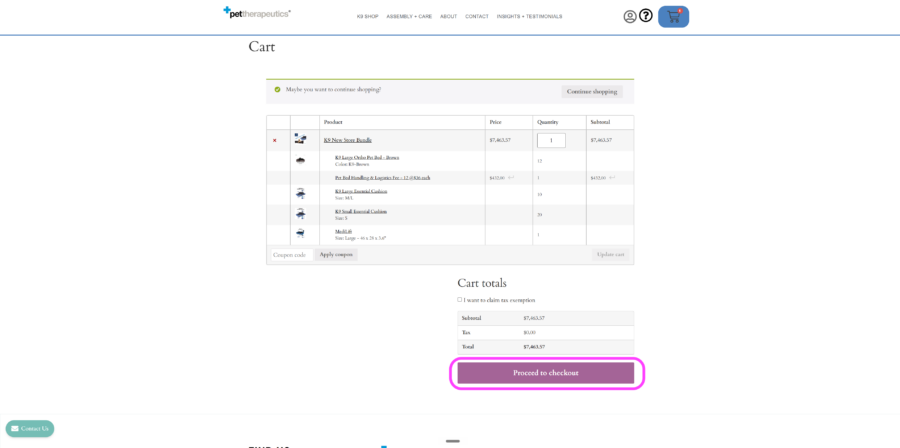
Step #11 : Click on Proceed to checkout
Step #12: Fill out your payment and shipping information. Your shipping address must be your store location. Freight will be added to your cart.
Step #13: Enter in your payment information, make sure you click the check box for agreeing to terms and conditions, and then Click on place order.
Existing Store Directions
Step #1 : Click or Paste link below into browser to sign up https://pettherapeutics.net/k9-user-registration/
Step #2 : Fill in: Name and Email address
Enter in : Username & Password – this will create your Username & Password
Tap SUBMIT to create account.
Step #3: Check your email, Tap link to confirm & ACTIVATE account (Please check your Spam folder for link if you do not see it in your inbox)
The link creates your account.
To finish the log in process you will get a second email with a link to your login.
Step #4: Check your email for the second email, click on login link to finalize the account activation process.
Step #5: You will see a notification that your account is now active. Click on ok
Step #6: Click on K9 Shop at the top of your screen.
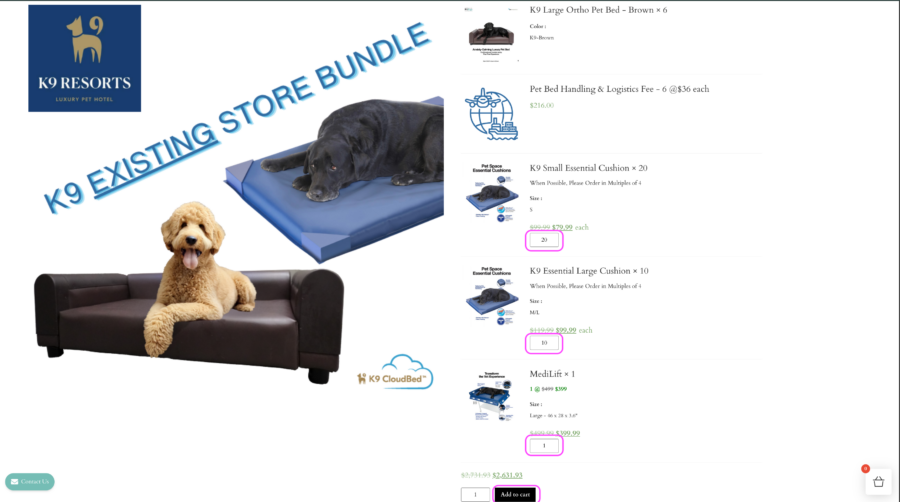
Step #7: Click on Select options for the K9 EXISTING STORE BUNDLE
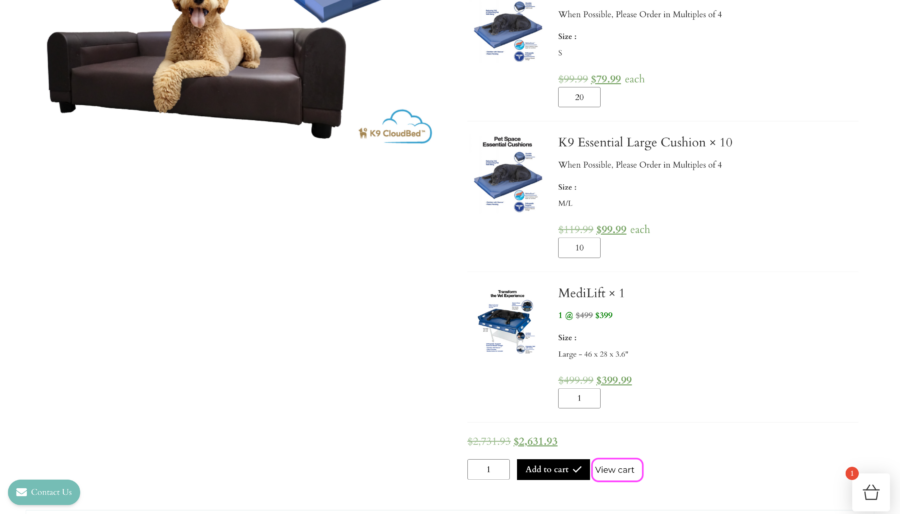
Step #8: On this screen you can change the quantity desired for each option and then click on Add to Cart
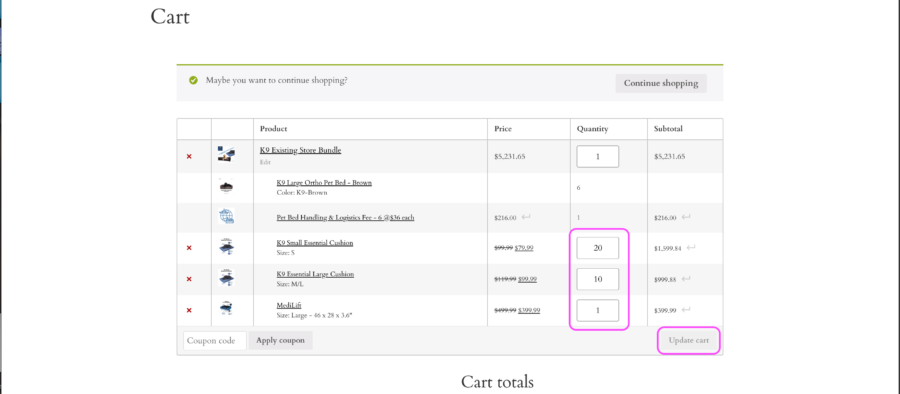
Step #9: Click on View cart to review and check out.
(You can also make updates to quantities here if you need to- you’ll click on update cart if you’ve made any changes)
Scroll down to next portion
Step #10: Click on Proceed to Checkout
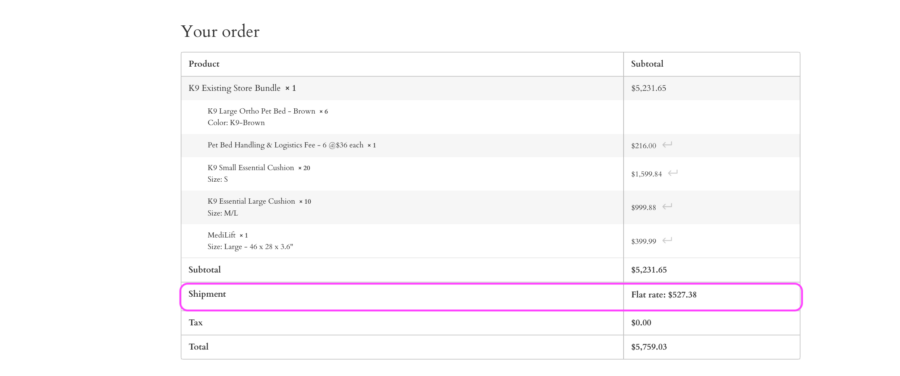
Step #11: Fill out your payment and shipping information. Your shipping address must be your store location. Freight will be added to your cart. (see example below)
Step #12: Enter in your payment information, make sure you click the check box for agreeing to terms and conditions, and then Click on place order.
Need Help?
Submit the form below with as much detail as possible, and our team will get back to you as quickly as we can!